

Running, hiking, cycling
Your routes, from the map to your watch
Draw your route or import your GPX, keep all your routes in one place, and find them on the day: on the map with your position, then on your watch. Free.


Everything you can do with your routes
Draw your route
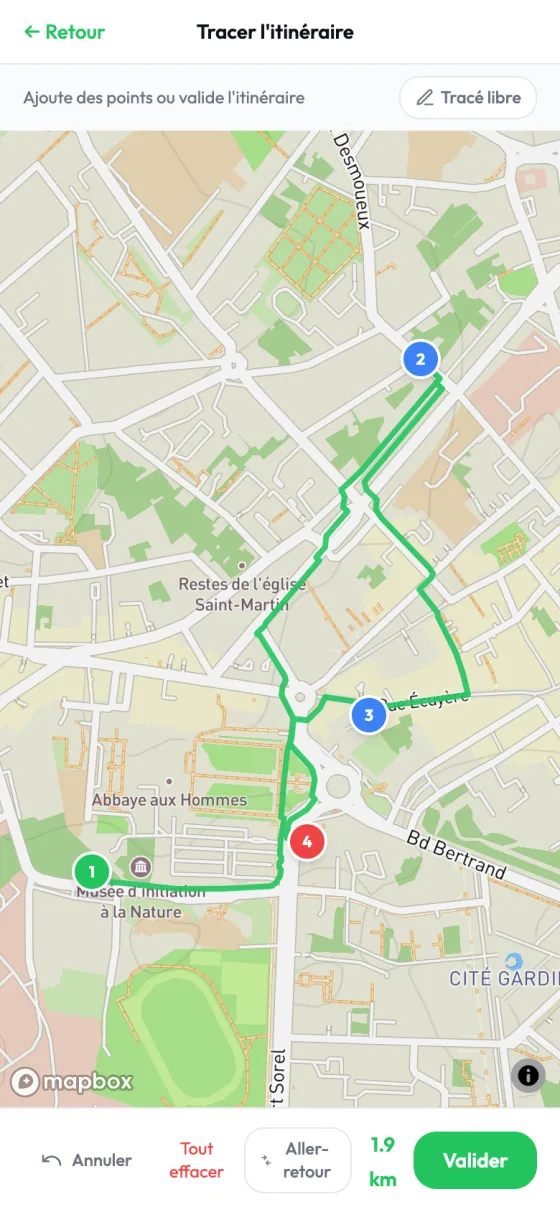
Tap the map: the line follows paths on foot and roads by bike. Loop, out-and-back or freehand off the paths, the distance adds itself up.
Import your GPX files
A route from Strava, your watch or a hiking site comes in with its distance and elevation gain, up to 500 km.
Record as you walk or ride
Start recording and slip your phone into your pocket: your route draws itself, even with the screen locked.
Keep them in your library
Up to 200 routes: search, filter, rename, trim the start or the end, and download them as GPX whenever you like.
Discover routes nearby
Routes tested by Buddiz and the tracks of public sessions within 30 km: keep the ones you like, or join the session already planned on them.
Plan a session on it
A route becomes a session in one tap: local athletes see the track and the distance before they sign up, and its start and finish once they join.
Follow yourself on the route
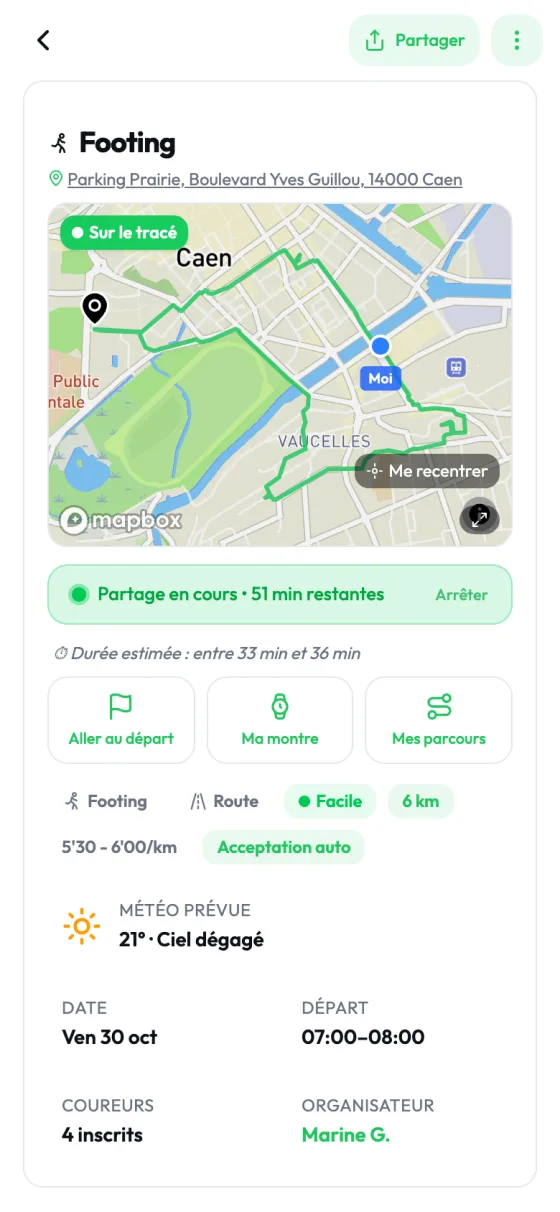
On the day, from 45 minutes before the start: your position on the route, how far off you are if you stray, and directions to the start in Google Maps or Waze.
Send it to your watch
From the session, the GPX file goes to your watch's app: Garmin Connect, COROS or Suunto.
The app, screen by screen
Draw on the map 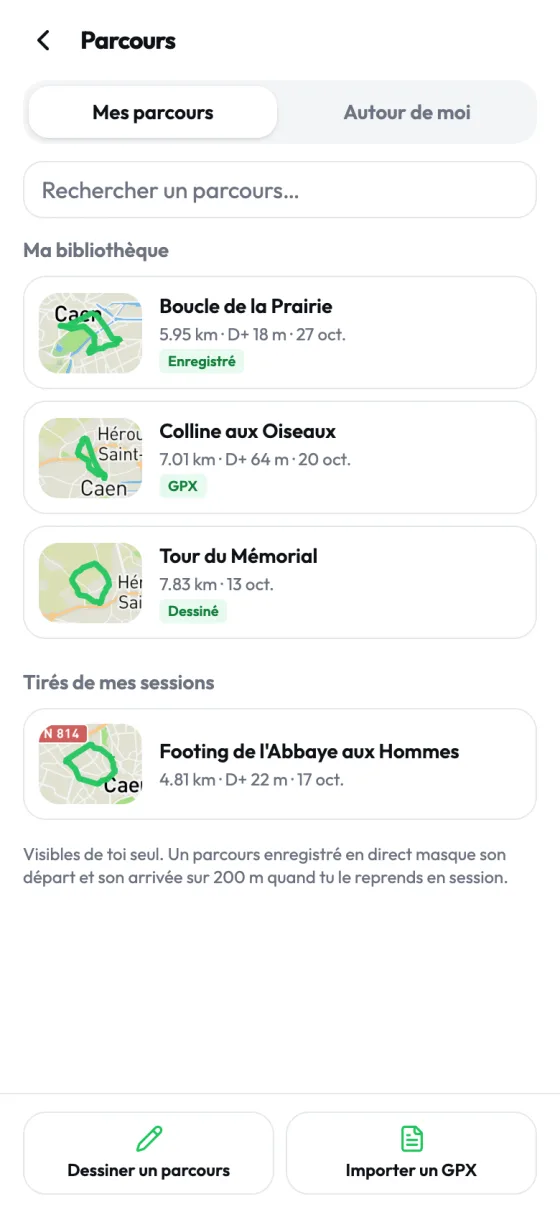
Your library 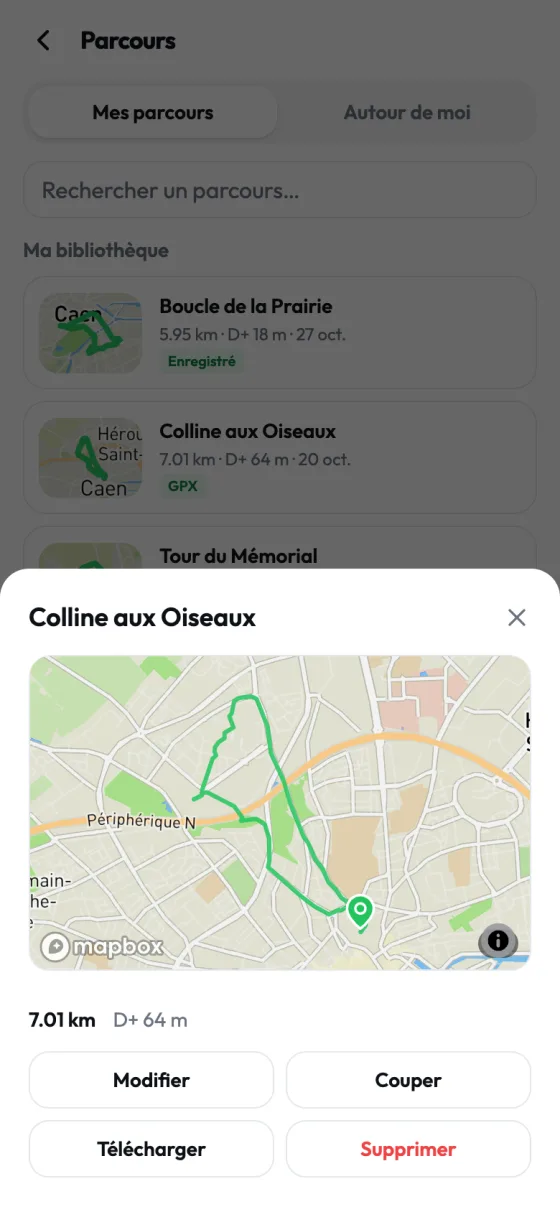
Every route, its own page 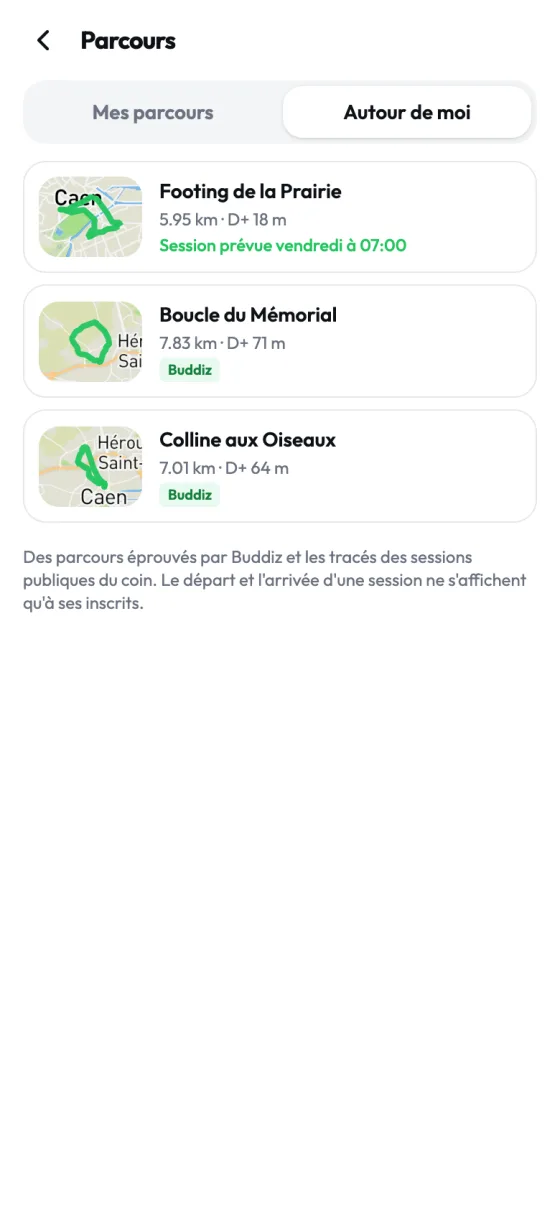
Routes nearby
A session, from route to finish
01
Before
Pick a route from your library or nearby, and plan the session. Those who join see the full route.
02
On the day
Send the route to your watch, follow your position on the map, and share it with the group if you want.
03
After
Were you the organizer? Your GPX fills in the session's distance, time and elevation gain, or your watch the distance and time, through Apple Health or Health Connect.
Your home and your position stay yours
Your recordings stay private
A route you record is visible to you only. Reused in a session, its start and finish are hidden over 200 m.
A session's start, for those who joined
Among nearby routes, the start and finish of a session are shown only to those who joined it.
Your position, if you share it
During the session, you choose to share your position with the organizer and the other participants, and nobody else. It stops when the session ends.
For running, hiking and cycling
Trail running included. Padel, tennis, 5-a-side football and fitness are played without a route.
Don't have the app yet?
Open a GPX file in your browser: its track, distance and elevation gain, no account needed. Open a GPX file
Frequently asked questions
Is it free?
Yes. Drawing, importing, recording, storing and following your routes is free, with no subscription.
Do I have to stop using Strava or my watch's app?
No, Buddiz works with them. A route exported from Strava as GPX can be imported, and the track goes back to your watch. Buddiz mostly helps you find who to do it with.
Which watches work?
Those whose app opens a GPX file: Garmin Connect, COROS, Suunto. On iPhone, they appear in the share menu. On Android, for Garmin Connect, save the file and then open it.
Who sees my routes?
Only you, until you plan a session on one. A recorded route reused in a session keeps its start and finish hidden over 200 m.
How many routes can I keep?
Up to 200, each up to 500 km. To make room, delete the ones you no longer use.
Can I draw a route without a planned session?
Yes. From the app's Routes page, draw or import it: it waits in your library, ready for later.
Your next route starts here
Install Buddiz, plan your route and find who to do it with. Free, on iPhone and Android.